
Rules have officially launched in Coney! This powerful automation feature will transform how you manage expenses — say goodbye to manual categorization 🎯

What Are Rules?
Rules are smart IF-THEN automations that process your expenses based on conditions you define. Set them up once, and let Coney handle the rest.
How It Works
Creating a rule is simple:
- Define your conditions — e.g., "name contains 'Starbucks'"
- Set your actions — e.g., assign category "Coffee", share amount with your team
- Save and your rule is immediately active
Powerful conditions you can use
Build your perfect automation with flexible conditions: match expense names, set amount thresholds, filter by date, organize with tags, or target specific bank transactions. Mix and match to create rules that work exactly how you do!
Actions at Your Fingertips
- ✏️ Assign Category — Automatically categorize expenses
- 🏷️ Add/Remove Tags — Organize with custom tags
- 👤 Set Paid By — Assign the payer automatically
- 💱 Share Amount — Configure payment splits
- 🔄 Link to Recurrence — Connect to recurring expenses
Smart Priority System
Rules are evaluated by priority, only the first matching Rule is applied. Easily reorder rules via drag-and-drop to fine-tune your automation flow.

Enhanced Analytics & Insights
Get a clearer picture of your finances with powerful new visualizations:
- New Visual Charts — Income/expense breakdown, monthly balance trends, team member debts, and most numerous categories at a glance
- Balance Tracking — Monitor both monthly and overall balances with greater accuracy
Performance & Reliability
We've been hard at work making Coney faster and more dependable:
- Better Multi-Currency Support — Exchange rates are now more reliable and support many more currency combinations
- Import Improvements — Smoother transaction import flow while we plan for a major rework
- Better Bank Sync — More reliable automatic expense creation from your connected accounts
- Reliability Improvements — Several enhancements to make the platform more stable and error-proof
Easier Quote Sharing
Sharing expenses with your team just got simpler:
- New Share Button — Quickly share expense quotes with team members
- Bulk Edit Improvements — Better bulk editing with support for keeping quotes unchanged

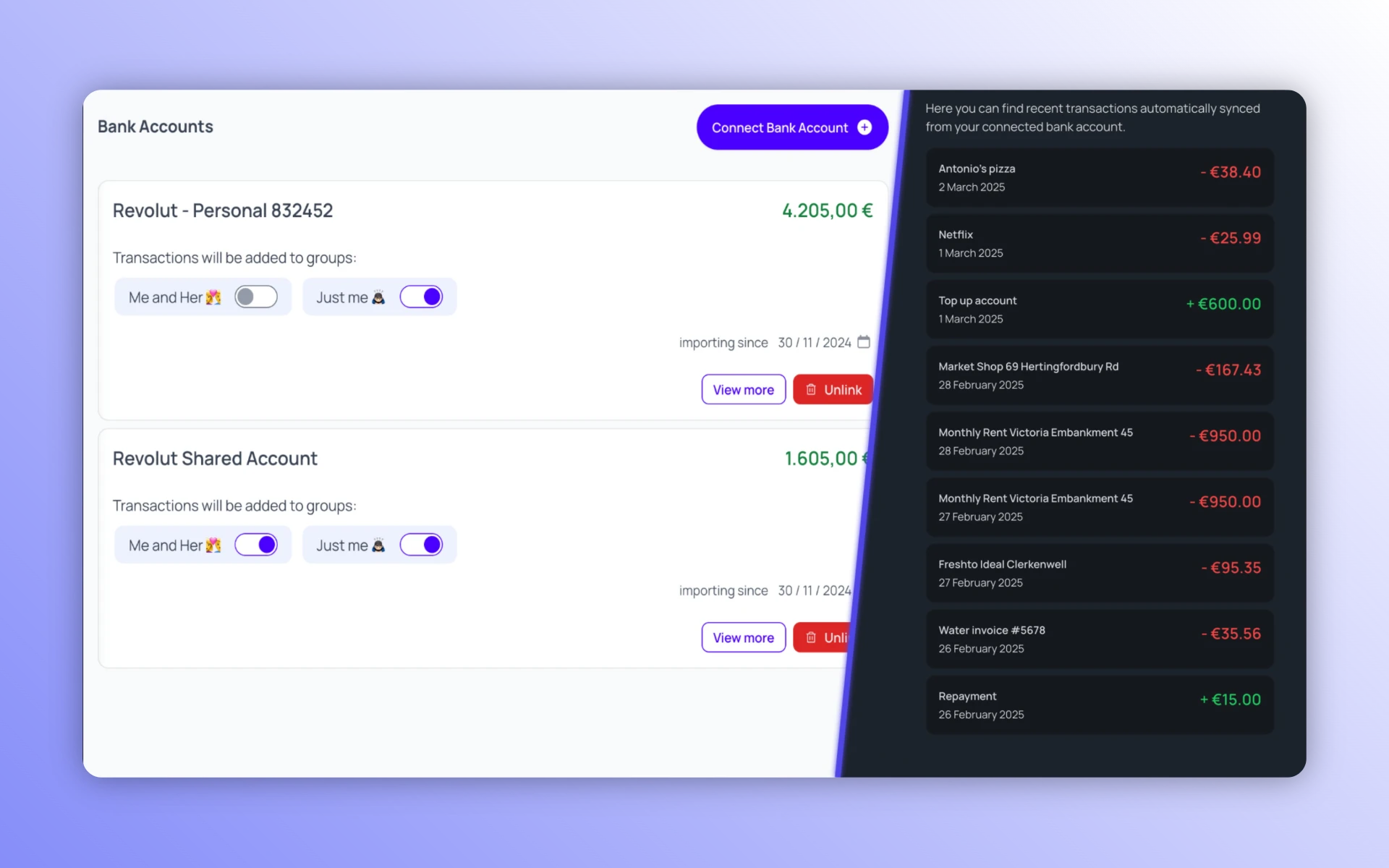
We're excited to announce that Bank Accounts Sync has officially launched in Coney! This powerful new feature represents a major step forward in automating your personal finances 🚀
What's New
You can now securely link your bank accounts from 31 European countries to Coney. Your transactions will be automatically imported with the highest security standards, thanks to our trusted provider GoCardless.
As we continue to expand, we are actively seeking a reliable partner to support bank account syncing for countries outside of Europe.
Important: We only have access to your transaction history and balance information.We will never be able to withdraw any amount from your accounts.
Smart Categorization
Bank transactions are automatically categorized based on your previous history or assigned an appropriate new category when needed. We welcome your feedback to help us make the algorithm even smarter!
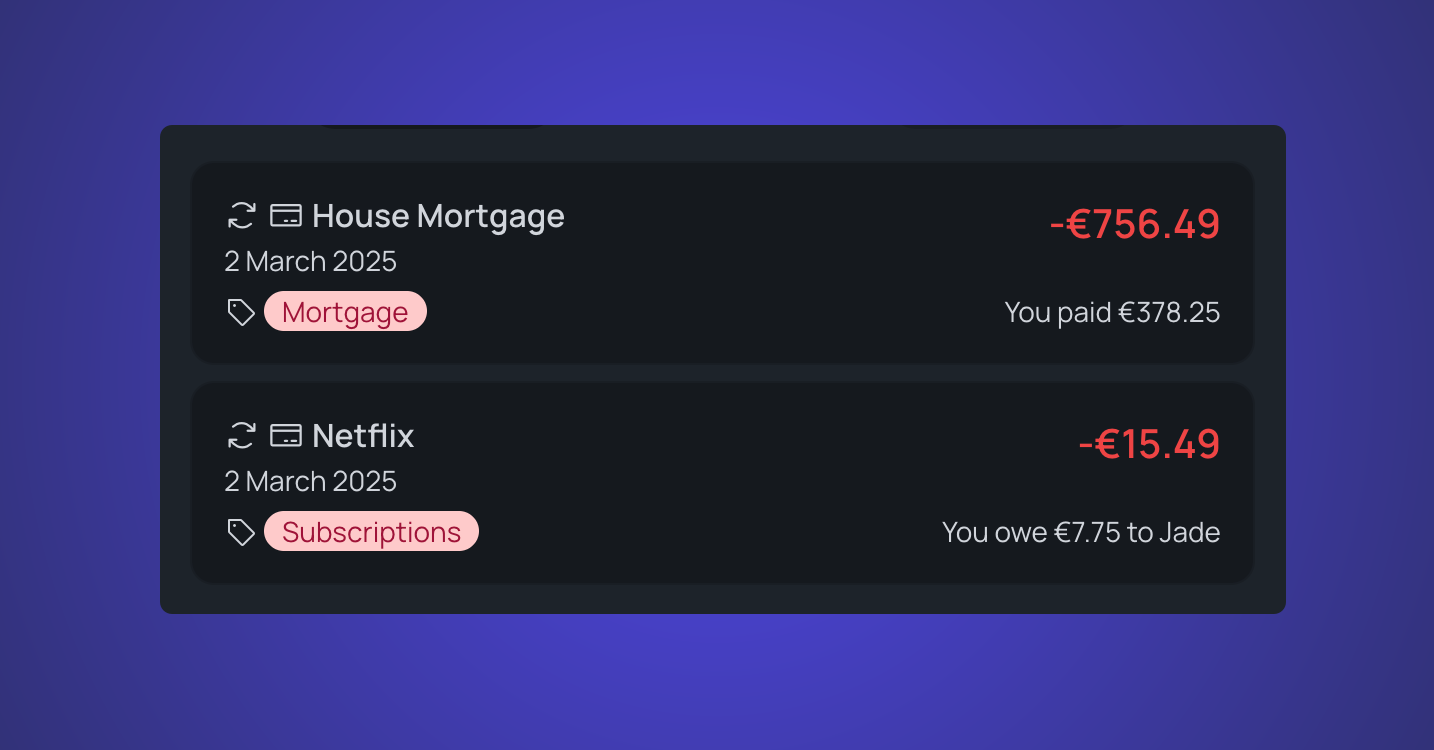
Recurring transactions like Netflix, mortgage payments, and other subscriptions will be automatically linked to their appropriate Recurrence if it already exists in your Coney account.
Bank Transactions will be automatically shared with other users in the selected Groups and they will be easily identifiable by the credit card icon at the beginning of each entry.
Sync Frequency
When you add a new Bank Account to Coney, you have the flexibility to choose how you want to handle your past transactions. You can either import transactions from the past 90 days or start fresh with only new transactions. This option is perfect if you've been manually tracking your finances until now and want a seamless transition to automated tracking.
Once your account is set up, your bank transactions will be synced to Coney once a day. To ensure accuracy, only transactions that are definitively booked on your account will be imported. This means you won't see pending transactions in Coney, giving you a clear and reliable view of your financial status.
To learn more about this feature and see which banking institutions are supported, visit our Exploring Bank Accounts page.
Join Our New Reddit Community
Exciting news! We're launching our official Reddit community, r/coney_app. As a project born from the discussions and insights shared within various Reddit communities, we're thrilled to finally have a dedicated space where you can engage with fellow users and our team.
Use this space to share your thoughts on new features, provide feedback, and engage in discussions about budgeting, saving, and investing strategies. It's a place to connect with fellow users, exchange tips and advice, and stay updated on the latest news and developments from Coney. We want you to be part of Coney's evolution!
New Language Support
Coney is now available in 🇮🇹 Italian, with more languages coming soon!
UI Improvements
Based on your valuable feedback, we've enhanced several interactions:
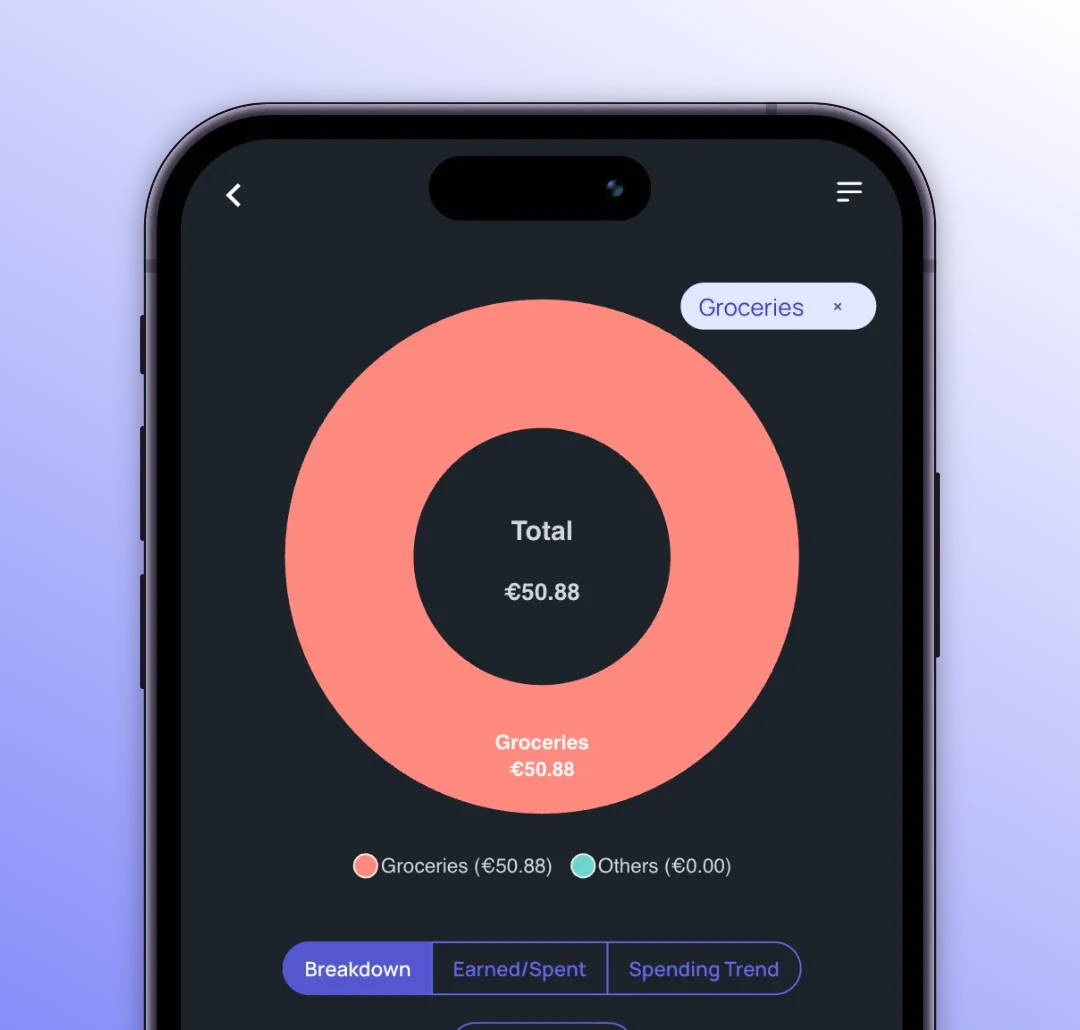
- Clicking on a category in the Breakdown Pie Chart now automatically filters transactions by that category
- Added transaction export functionality
- Simplified Google Sheet sync process
- Fixed some bugs and simplified UI interactions
We’re thrilled to introduce some exciting updates to help you manage your finances more efficiently.
🎙️ Record Transactions with Audio
Adding a financial transaction has never been easier! You can now record any type of transaction—expenses, income, reimbursements—with a brief audio note. Simply say something like:
- "We ate at an Italian restaurant for $60 yesterday, shared with Jade."
- "I received my $1000 paycheck."
The audio recording feature is included in the Meticulous Budgeter plan and is also part of your 🎁 Welcome Kit, giving you a chance to try it free for a month!

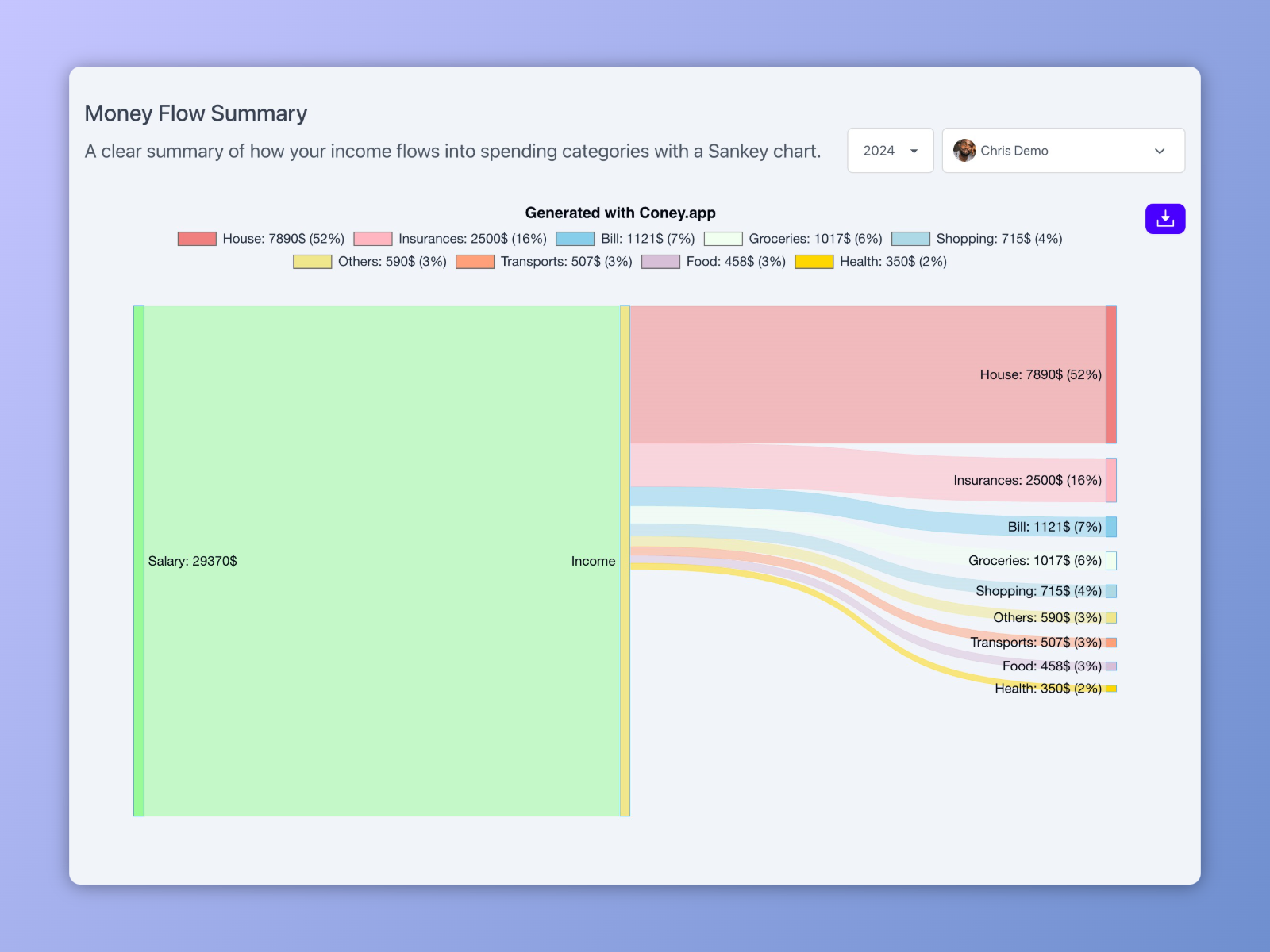
📊 Reworked Summary Page
We know the end of the year is perfect for reviewing your spending. That’s why we’ve
🔮 More Improvements Coming Soon
We’ve heard your feedback, and we’re hard at work on:
- A more advanced and detailed Recurrence section to monitor subscriptions and recurring costs.
- A new Goals section to help you track and achieve your financial objectives.
Stay tuned for more updates to make managing your finances easier than ever!
Hey Budgeters!
☀️ August brings exciting news as we’re thrilled to announce two fantastic new features to make managing your finances even easier: Reimbursements and Bulk Editing!
💸 Reimbursements
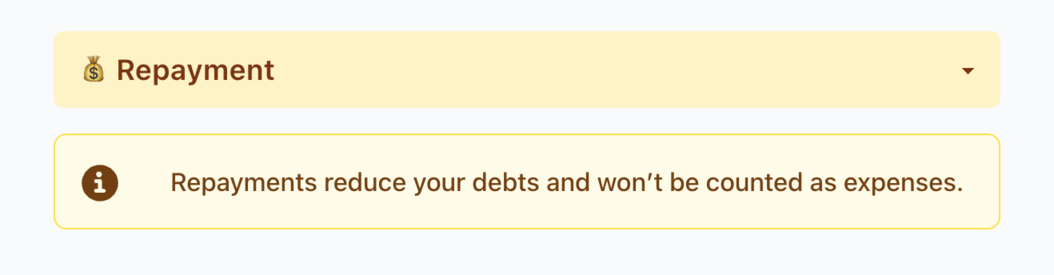
Easily track and manage debts between users. Record who repays whom and get a crystal-clear view of your shared expenses.
Reimbursements help reduce debts within a group and are not counted as expenses, making it easier to manage shared costs.
📝 Bulk Editing
Update or delete multiple transactions at once. Select the items you want to edit and effortlessly change fields like category, transaction type, date, and more!
This feature will help you manage your expenses more efficiently, correct any errors in recorded transactions, and review your financial activity with ease.
💬 Live Chat
Plus, you might have noticed the new live chat on the website. Feel free to reach out to our support team for any feedback, suggestions, or issues you encounter!
Happy budgeting! 😊
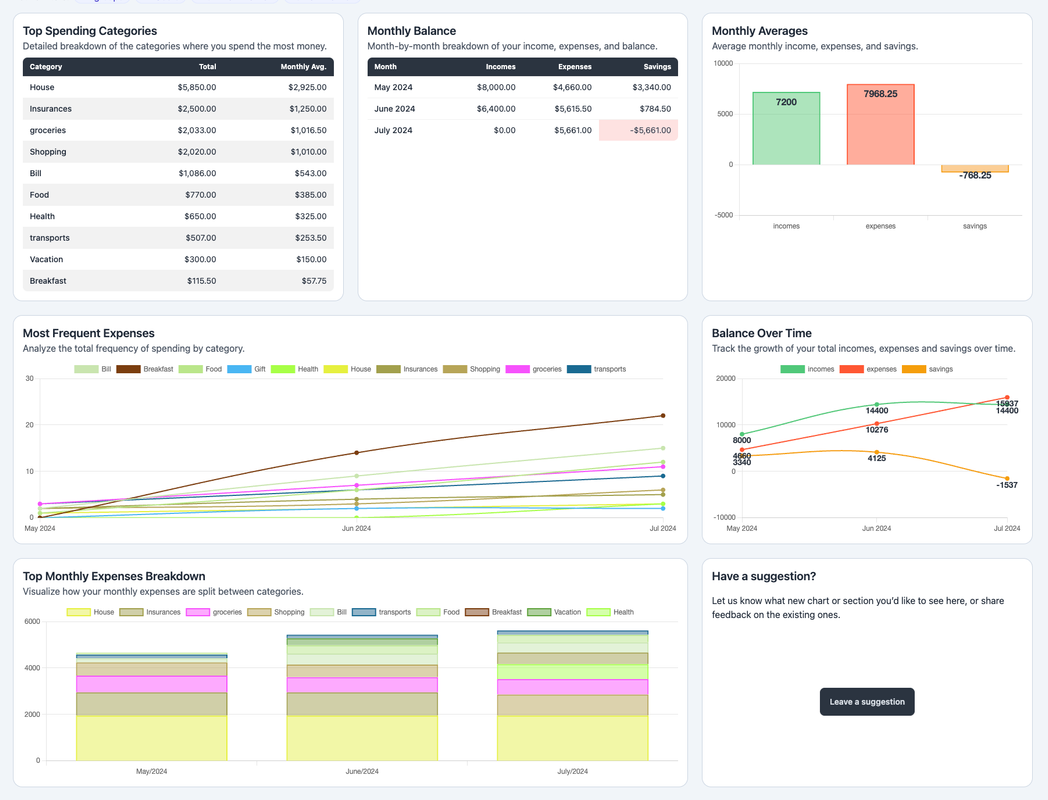
Hey Budgeters! We’re excited to introduce our new Insights Dashboard to help you analyze and understand your spending habits better.
With this new feature, you can:
- 📊 Quickly review your most recurring expenses.
- 📅 Break down your spending month by month and by category.
- 💰 Track your savings and much more!
We’ve dedicated a spot on the page for your suggestions. We’re eager to hear your feedback and add new statistics and charts based on your needs!
📒 Categories
Additionally, we’ve made a significant update to Coney.app with the introduction of Categories! This new field is now required for all your entries (expenses and incomes) and allows you to assign a main category, like “Restaurants.”
The existing Tags field is now optional and can be used for more detailed analysis, enabling you to visualize expenses with the same category but different tags.
Happy budgeting! 😊